


EFI Live AutoCal V3 Installation Guide
Pre-Installation Guidelines
READ THIS BEFORE PROCEEDING WITH INSTALLATION — Your EFILive AutoCal V3 is a powerful tool. These steps protect your vehicle and ensure a smooth flash.
⚠️ USE AT YOUR OWN RISK. These devices are intended for OFF-ROAD VEHICLE USE ONLY.
Do not attempt to read the stock file using AutoCal. For stock file needs, contact your dealership for a reflash.
- Ensure battery voltage is stable (use a charger if needed).
- All aftermarket electronics (radios, lights, etc.) should be turned off.
- Park on level ground, engine off, key in "RUN" position.
EFI Cummins & Duramax Tunes Package
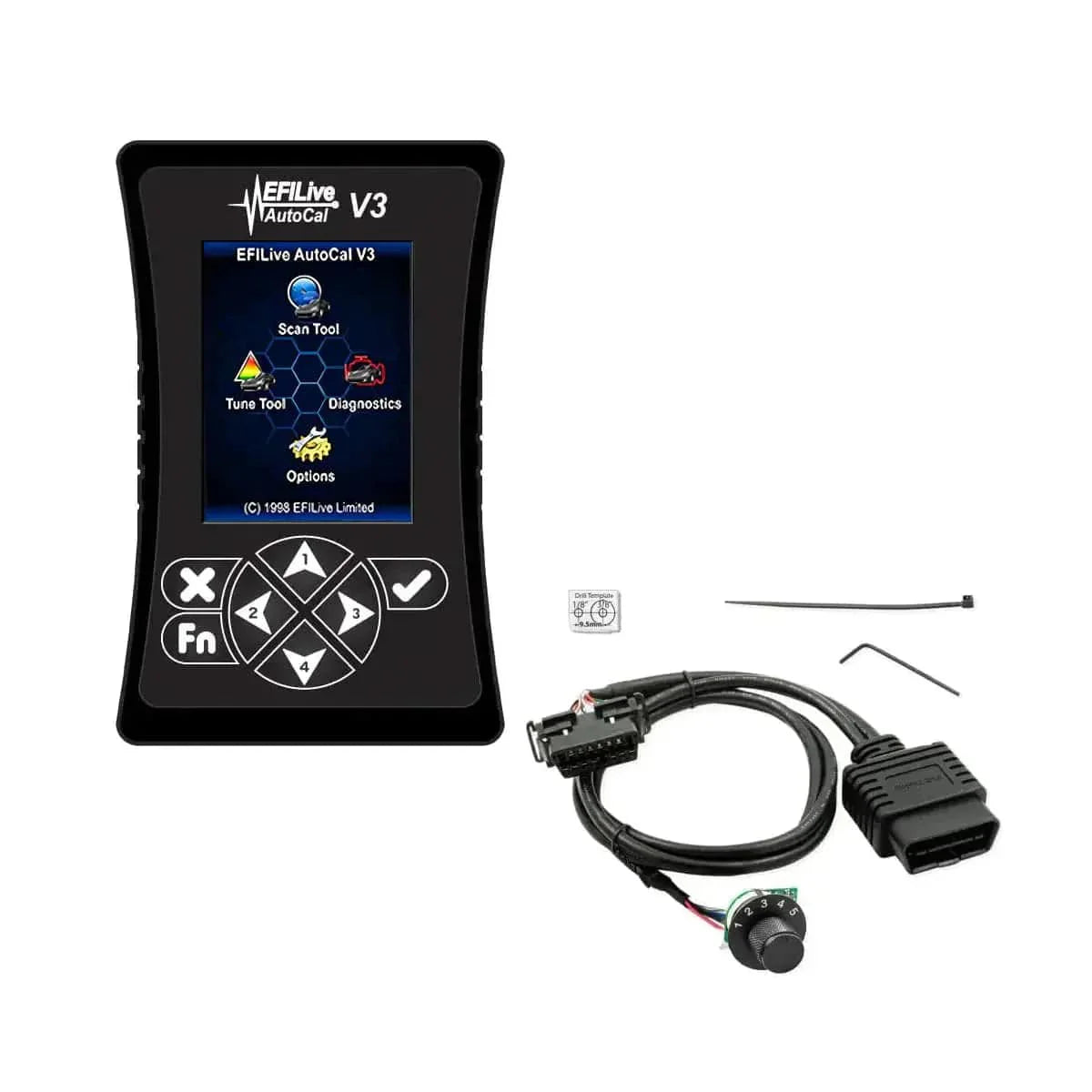
Each Tuner Depot EFI Live AutoCal V3 package for Cummins and Duramax includes all required cables, custom tunes, and a physical rotary switch. Select the correct package for your specific truck to get started.
 Cummins
EFILive AutoCal V3 - Cummins Package
- Includes physical AutoCal V3 device to flash, log, and clear codes
- Custom tunes mapped to 5.9L & 6.7L Cummins ECMs (2006-2021)
- Package explicitly includes a physical CSP5 rotary switch
- Full DPF/EGR delete tuning capability
- On-board diagnostics & real-time data logging
 Duramax
EFILive AutoCal V3 - Duramax Package
- Includes physical AutoCal V3 device to flash, log, and clear codes
- Custom tunes mapped to 6.6L Duramax LB7-LML ECMs (2001-2016)
- Package explicitly includes a physical DSP5 rotary switch (engine specific)
- Switch-on-the-fly tuning capability
- Built-in diagnostics & emissions-delete ready
Choose the EFILive Cummins package if you own a 5.9L or 6.7L Cummins diesel (2006-2021). Includes CSP5 rotary switch and custom tuning for RAM trucks.
Choose the EFILive Duramax package if you own a 6.6L Duramax LB7, LLY, LBZ, or LML (2001-2016). Includes DSP5 rotary switch built for GM trucks.
Bottom line: Both packages deliver the AutoCal V3 hardware, custom delete-ready tunes, and a physical rotary switch — just select the one that matches your engine family. No compromises, just plug-and-play diesel performance.
Support Availability
Our support is available during regular business hours only. Any urgent requests or after-hours support might not receive an immediate response. Please plan your tuning process accordingly for a smoother experience.
Installation Process
The AutoCal V3 installation is straightforward. Before beginning, verify that your battery is in good condition and all connections are clean.
-
Step 1 - Connect the OBD2 cable to the AutoCal device.
-
Step 2 - Plug the other end into the vehicle's OBD2 port (driver side, under dash).
-
Step 3 - Power on the device, navigate to the Tune menu, and press Enter.
-
Step 4 - Choose the Tuning option.
-
Step 5 - Select Program Full.
-
Step 6 - Pick the appropriate Calibration file for your AutoCal device.
-
Step 7 - Follow on-screen prompts to complete the installation. Do not interrupt power.
Engine-Specific Instructions
🔧 2007-2012 & 6.7L Cummins
Patch file required - Install the patch file BEFORE loading the tune to avoid PCM damage.
-
Locate the intake air throttle valve on the driver's side, under the intake near the intercooler pipe.
Unplug this valve - leaving it plugged can cause sticking / RPM issues.
If unsure, consult a professional diesel tuner.
⚙️ 6.6L Duramax (LB7 - LML)
Unplug intake air throttle valve - passenger side, near alternator.
-
LML 2011-2016: Unplug both EGR valves (driver side + passenger side).
-
Also unplug the intake air throttle valve - failure to do so may cause no-rev or limp mode.
DSP5 rotary switch included (engine-specific).
⚠️ Critical: For 2007-2012 Cummins, always install the patch file first. Failing to do so could damage the factory PCM, potentially requiring a dealership re-flash.
Calibration Adjustments
Truck specifications vary. If your EFILive AutoCal V3 calibration isn't performing as expected, contact us with the following details:
| Order number | (required) |
| Year / Make / Model | |
| Complete VIN | |
| Transmission Type | (Auto / Manual) |
| Transfer Case Type | Manual or SOTF |
| Fuel Tank | Single or Double |
| Tire Size | (GM / Chevrolet only) |
| Vehicle Modifications | (intake, exhaust, turbo, etc.) |
Note: We cannot proceed with your request without all of the above information. Make sure to include every detail so we can help optimize your calibration quickly and effectively.
Frequently Asked Questions
Can I read the stock file with AutoCal?
No. The stock file cannot be read directly using AutoCal. If you need the original stock file, contact your dealership for a reflash to ensure correct factory settings.
What happens if I damage the factory PCM?
Damaging the PCM can lead to significant repair costs and a possible dealership re-flash. Always follow instructions carefully — especially for 2007-2012 Cummins (install patch file first).
Do you offer support after regular business hours?
Our support is only available during regular business hours. Please plan your installation or calibration updates accordingly to avoid delays.
Which rotary switch is included?
Cummins package includes a CSP5 switch. Duramax package includes a DSP5 switch (engine-specific). Both allow on-the-fly power level changes.
Need help? Contact us with your order number and vehicle details. We'll respond within business hours to get your EFILive AutoCal V3 dialed in perfectly.